If you want the short answer to “which of these trains on my chats,” here it is, at the consumer tier you log into: ChatGPT trains on your conversations by default and you opt out; Claude ships with training off and only trains if you opt in; Gemini trains through a switch called Keep Activity that’s on by default, so it trains unless you turn it off. Three providers, three different defaults for the same question.
And it splits again inside a single company. On the consumer ChatGPT you log into, conversations are used for training by default. On the API a developer pays for, OpenAI’s documentation reads: “As of March 1, 2023, data sent to the OpenAI API is not used to train or improve OpenAI models (unless you explicitly opt in to share data with us).” Same company, opposite default, decided entirely by which door you came in through.
That’s the training question. There are two others that usually get bundled with it: whether an assistant can reach into your data at all, and whether it keeps a copy after you hit delete. Those answers differ too, and not always in the direction you’d guess. Here’s the whole thing on one screen.
The three questions, side by side
Consumer-tier defaults as of June 1, 2026. These change; the “where the answer lives” note for each question tells you where to check whether they still hold.
| Question | ChatGPT (consumer) | Claude (consumer) | Gemini (consumer) | Where the answer lives |
|---|---|---|---|---|
| Can it reach my data? | Apps, agent, Atlas browser, each opt-in | Claude for Chrome extension, opt-in per site | Connected apps and Android, opt-in; region-gated | A permission or connection setting |
| Does it keep a copy? | 30-day floor after delete | 30-day floor after delete | 72-hour floor when history off | A retention or auto-delete setting + the doc |
| Does it train on it? | On by default, opt out | Off by default, opt in | On by default via Keep Activity, opt out | A training or activity setting |
Take any one assistant and its three answers tell you where you stand with it; line the assistants up against any single question and you see why none of them is “the safe one.”
Why there’s no “most private” one to switch to
The instinct, once you’ve seen the answers laid out side by side, is to scan for the safest option and move there. There isn’t a safest one. Anthropic’s consumer Claude trains off by default, which looks like the cautious pick on the training question, but retention still has a floor and access is still a set of toggles you granted. And the defaults move. A ranking would be out of date the moment any one provider flipped a switch, and they flip switches.
So this page isn’t a ranking. It’s a check you run yourself, on any assistant, including ones that don’t exist yet. You don’t ask the chatbot these questions. You answer them from the privacy settings and the provider’s own docs. The three questions are the through-line of the deep-dives we wrote on Claude, ChatGPT, and Gemini, pulled out as a portable tool. The rest of this page is how to run it.
What each question means
It’s worth being precise about what the three actually ask, because the words get used loosely.
The first is access: what can reach into your data and read it. The second is retention: whether the provider keeps a copy, and for how long. The third is training: whether your content is used to improve the model. They usually move together, so people merge them. They don’t have to. An app can read your messages without keeping them. A provider can keep your chats without training on them. It can even train on something derived from your email without ever training on the email itself.
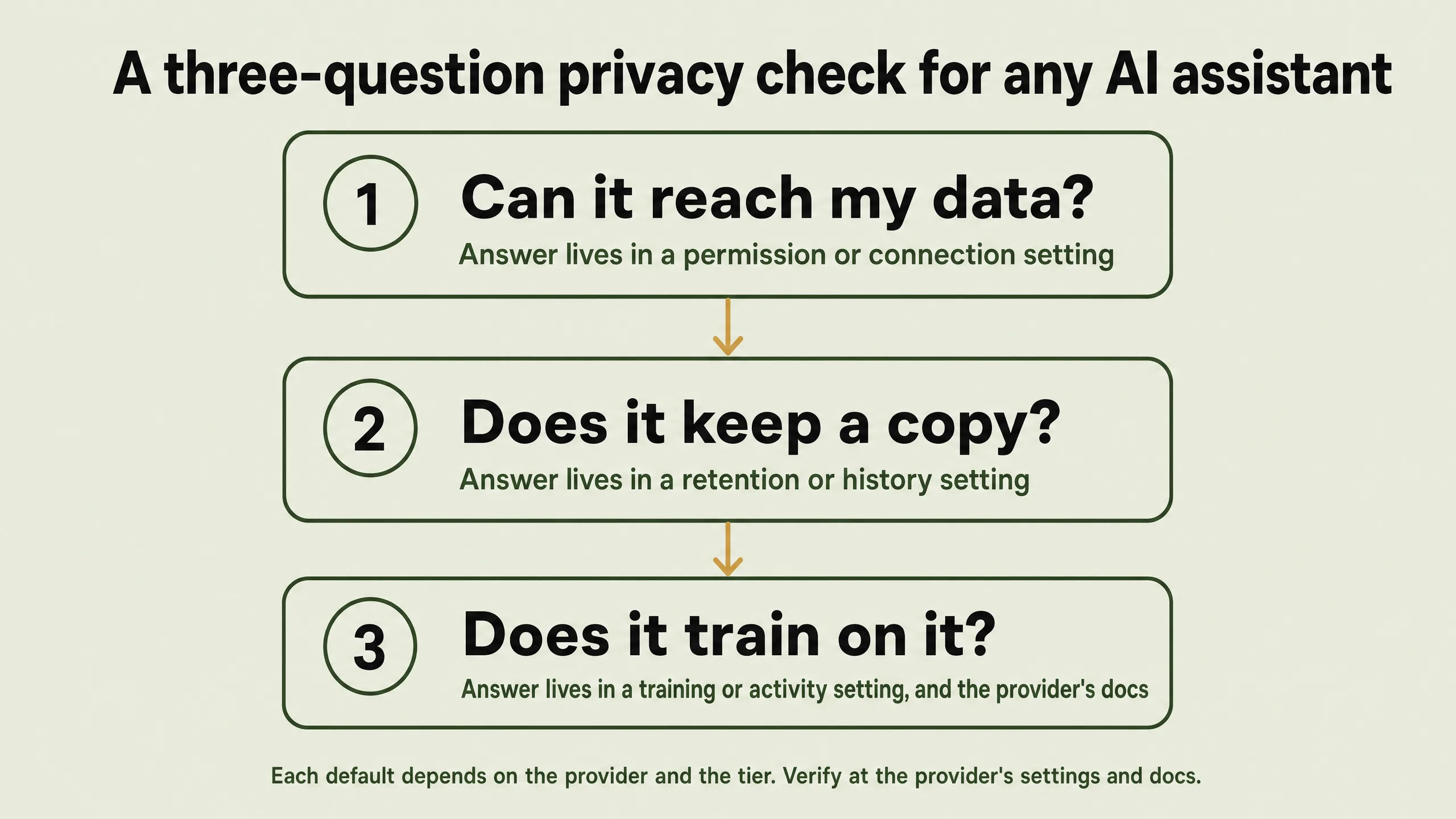
Here’s what each one looks like in practice, at the consumer tier, across the three big providers.
The three questions, one at a time
Can it reach my data?
Access is about reach, not records. The clearest proof that it’s a separate question lives on Android. When Google rolled out a change to Gemini’s phone integration, the notice said Gemini could “use Phone, Messages, WhatsApp, and Utilities on your phone, whether your Gemini Apps Activity is on or off.” Read that twice. The assistant can place a call or send a message with the keep-my-history switch turned all the way off. Reaching and keeping are wired to different controls, and one of them doesn’t care what the other is set to.
The shape repeats everywhere, it just looks different per provider. On Claude, the consumer reaching-in surface is the Claude for Chrome extension, and Anthropic’s note on it reads: “Users can grant or revoke Claude’s access to specific websites at any time in the Settings,” with its own advice to avoid pointing it at “sites that involve financial, legal, medical, or other types of sensitive information.” Agentic developer tools like Claude Code reach more broadly; those are a separate tier, covered in the per-provider deep-dives. On ChatGPT’s desktop app, the “Work with Apps” feature reads “the full content of open editor panes in the foremost window, up to a truncation limit,” and what it grabs “becomes part of your chat history.” On Gemini, the gate for reaching into Gmail and Drive depends on where you live: Google says “by default, smart feature settings are off if you live in: The European Economic Area, Japan, Switzerland, United Kingdom,” and on by default everywhere else, including the US.
What to check: look for the permission or connection setting, not the privacy policy. Access is almost always a toggle you granted, sometimes without noticing, and you can usually revoke it in the same place.
Does it keep a copy?
Retention is the question where “off” almost never means “gone,” and where the floors are different enough that flattening them into one number gets you the wrong answer.
Delete a chat on Claude and it’s “deleted from our back-end storage systems within 30 days.” Delete one on ChatGPT and “the chat is removed from your account immediately and scheduled for permanent deletion from OpenAI systems within 30 days.” Turn off Keep Activity on Gemini and your chats “are retained with your account for 72 hours.” Those are three real floors, and they’re 30 days, 30 days, and 72 hours, not one shared grace period. Gemini’s is the short one and the one most often misremembered as a month.
Then there are the buckets your delete button can’t reach. Gemini chats that get routed to a human reviewer “are retained for up to three years” and survive your deletion. Anthropic keeps safety-flagged “inputs and outputs for up to 2 years and trust and safety classification scores for up to 7 years,” regardless of your training setting. ChatGPT’s Temporary Chat leaves no history but “may still keep a copy for up to 30 days.” None of these are hidden; they’re all in the docs. They’re just not the number on the toggle.
What to check: find the retention or auto-delete setting, then read the doc for the floor underneath it. The setting tells you the normal case; the doc tells you what survives deleting.
Does it train on it?
This is the question with the most surprising answer, because the consumer default isn’t the same across the three providers, and one provider’s setting reads like the opposite of what it actually does.
OpenAI is the straightforward case: ChatGPT trains on your conversations by default, and you can “opt out by following the instructions in this article.” Turning it off “won’t be used to train ChatGPT,” though your chats still appear in your history. Gemini is similar in direction: it trains through Keep Activity, which is on by default, and Google’s wording is: “If Keep Activity is off and you don’t submit feedback, Google also does not use your future chats to improve its AI models.”
Anthropic is the one that trips people up. The Privacy Policy says Anthropic “may use your Inputs and Outputs to train our models and improve our Services, unless you opt out through your account settings.” Read alone, that sounds exactly like ChatGPT: on by default, opt out. It isn’t. That clause is the permission Anthropic is granted in principle; the actual consumer setting ships off, and training only starts if you choose to turn it on. Anthropic’s own developer docs confirm the conditional: “We will train new models using data from Free, Pro, and Max accounts when this setting is on.” When, not unless. So Claude consumer is opt-in, and the policy clause that reads like a confession is describing a setting that starts in the off position.
What to check: find the training or model-improvement setting and read what it’s set to right now. The label on the toggle is the real answer; the policy language describes what the company is permitted to do, which is not the same as what it does by default.
The rules of thumb that hold everywhere
Once you’ve run the check a few times, four patterns show up across all three providers. They’re worth carrying because they let you guess the likely answer before you’ve found the setting.
Free and consumer plans tend to train; paid and API plans tend not to. OpenAI’s business terms say it “will not use Customer Content to develop or improve the Services, unless Customer explicitly agrees.” Google’s paid API “doesn’t use your prompts … or responses to improve our products,” while its free API does. The general rule is that the plan you pay for is the plan that doesn’t train. The exception is the one that breaks the rule into a tendency: Anthropic’s consumer Claude is also opt-in, so “free always trains” simply isn’t true. Treat this as a strong hint, not a law, and confirm it per provider.
“Off” rarely means zero, and the floors differ. Turning training off, or history off, leaves a safety and abuse retention floor underneath, and as the retention section showed, those floors aren’t the same size. Gemini’s is 72 hours, ChatGPT’s and Claude’s are 30 days, and the longer review buckets run to years. When you turn something off, the honest question isn’t “is it gone now” but “what’s the floor,” and that’s a per-provider number.
A work or school account is usually a stricter regime. The same assistant behaves differently when a business or school is paying. Google Workspace “does not use customer data for training models without customer’s prior permission or instruction,” and Gemini inside Gmail “doesn’t use your content to train or improve Gemini or other generative AI models.” If your account is managed by an employer, the consumer defaults above probably don’t apply to you, and the stricter terms usually do.
“Doesn’t train on your X” can still hide a derived-data nuance. Google states plainly that “Gemini does not train generative AI models directly on your Gmail inbox, Drive, Contacts, Calendar or other Workspace apps,” which sounds like a clean no. The same documentation then says “we train our generative AI models off of these summaries, excerpts, generated media, and inferences.” The raw email isn’t in the training set, but a summary of it, an excerpt from it, or a conclusion drawn about you from it can be. When a provider says it doesn’t train on something, the precise wording is worth a second read.
Go deeper on any one of them
This page is the lens. The full per-provider story, every surface and every number, lives in the three deep-dives, and each one has a distinctive wrinkle worth knowing:
- Claude and your data is the opt-in outlier: both the consumer and the developer side ship with training off, which is why it breaks the “free always trains” rule.
- ChatGPT and your data is the one where the consumer default is on: it trains on your conversations unless you opt out, and it has the most separate retention sub-clocks (agent screenshots, the Atlas browser, Temporary Chat) to keep straight.
- Gemini and your data is the one that bundles keeping and training onto a single switch, with no “save my history but don’t train” middle setting, plus the derived-data wrinkle on Gmail and Photos.
The short version
Stop asking which assistant is private. Ask each one three questions instead. Can it reach my data. Does it keep a copy. Does it train on it. The answers live in settings you can check and docs you can read, the defaults differ by provider and by plan, and that’s exactly why the check travels better than any ranking ever could. The next assistant you try will answer the same three questions. You already know how to ask them.
Every quoted claim above was confirmed live against the providers’ own documentation on June 1, 2026. These defaults change often, so the effective dates live on each linked page.
Flowchart by gpt-image-2 (OpenAI, via OpenRouter).